Skills are modular instruction packages that teach a CREAO agent how to do a task; connectors are MCP integrations that give it secure access to external services like Gmail, Slack, and GitHub.
Together they are the execution layer behind every chat and agent: skills define how the agent works, connectors define what it can reach. CREAO ships 30+ skills and 28+ connectors, and you can add your own.
Every CREAO agent session is powered by capabilities, and there are two kinds. Skills are the modular instruction packages that teach the agent how to perform a task. Connectors are the MCP integrations that give the agent access to external services. Together they are the execution layer behind every chat and agent.
Put simply: a skill is know-how, a connector is access. A skill teaches the agent how to write a PDF or run a data analysis; a connector lets it read your inbox or update a spreadsheet. Most real tasks combine both.
·
Skills
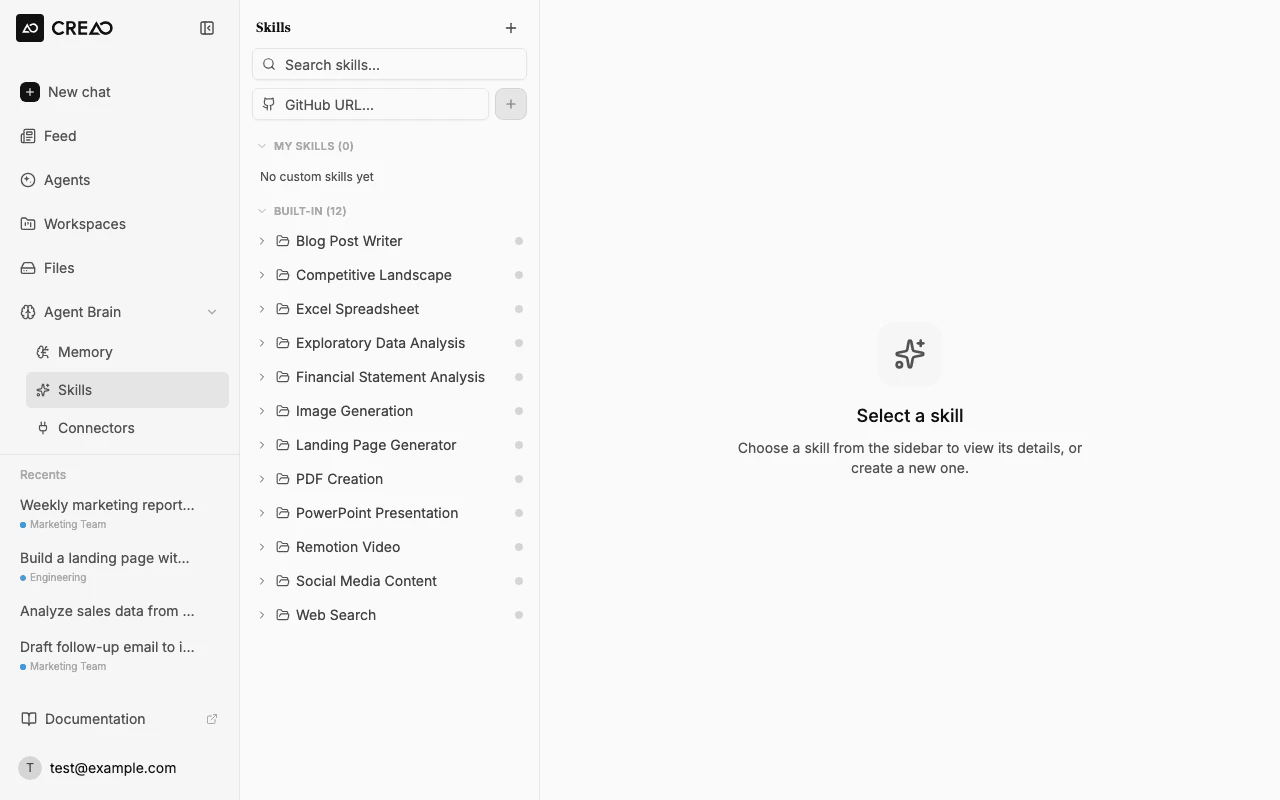
Skills are reusable instruction sets that define how the agent approaches a task, from image generation to PDF creation to data analysis. CREAO ships 30+ built-in skills, available out of the box, and the agent picks the right one automatically.
Document generation
PDF, Word (DOCX), Excel (XLSX), PowerPoint (PPTX)
Content & writing
Blog posts, social media, content research, scientific writing
Data & analysis
Exploratory analysis, data storytelling, financial modeling, SQL
Toggle any skill on or off from the Skills page. Disabling a skill means the agent will not use it even if your prompt would normally trigger it, which is useful for controlling cost and scope.
The Skills page: browse, enable, and inspect skills, with rendered SKILL.md and supporting files.
·
Custom skills
Custom skills teach the agent domain-specific workflows the built-in library does not cover. A custom skill is a SKILL.md file with YAML frontmatter. There are three ways to add one.
Install from GitHub
Paste a public repo URL that contains a SKILL.md and click Install. CREAO validates and registers it, with refresh-from-source to pull updates.
Upload a ZIP
Drag in a .zip with a SKILL.md (name and description in frontmatter), optionally including a scripts folder of helpers.
Create from chat
Describe the skill in chat and the agent scaffolds the SKILL.md and registers it for you.
·
Connectors
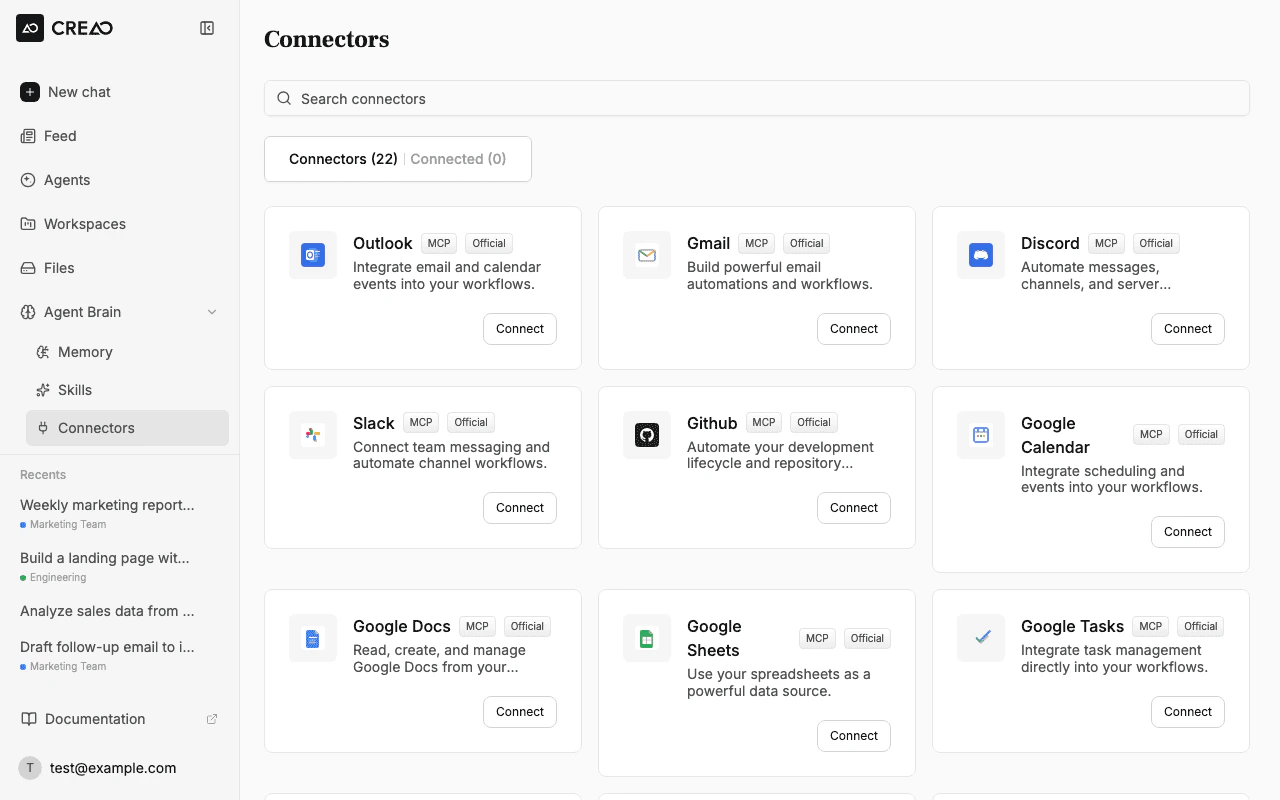
Connectors link the agent to external services through MCP (Model Context Protocol). Once connected, the agent can read and write data in those services as part of its response. New connectors are added regularly.
Google Workspace
Gmail, Calendar, Sheets, Docs, Drive, Tasks
Microsoft
Outlook, Teams
Communication
Slack, Discord, Telegram
Project management
Asana, Linear, Notion
Social & marketing
X, Reddit, YouTube, Google Ads, Analytics, Search Console
E-commerce
Shopify, eBay
Developer
GitHub, Webflow
Research & web
Semrush, Perplexity, Firecrawl, Pipedream
The Connectors tab: one-click OAuth to the services your agents read and write.
·
Connecting a service
I
Open the Connectors panel
Go to the Skills page and switch to the Connectors tab.
II
Click Connect
Find the service and click Connect to start its OAuth flow.
III
Authorize access
Grant CREAO the requested permissions and return to your workspace.
IV
Start using it
The connector is available in chat; the agent uses it automatically when relevant.
·
Using connectors in chat
Once connected, describe what you need in natural language and the agent figures out which connector to use. You can also reference one explicitly with @.
# natural language
Summarize my unread emails today and put the action items in a Google Sheet
# explicit reference
@gmail find all emails from the marketing team this week
·
Use cases
Inbox to action
Summarize unread email and turn the key items into a tracked list or sheet.
Cross-tool reporting
Pull data from Sheets or Analytics and post a summary to Slack.
Code and content
Read a GitHub repo or scrape a page, then draft docs or a post.
Domain workflows
Teach a custom skill once and have the agent apply it every run.
·
Best practices
Enable only what you need. Turn off skills and connectors you are not using to keep the agent focused and costs down.
Reach for @ when it matters. Let the agent choose by default, but name a connector with @ when you want a specific source.
Package repeat know-how as a custom skill. If you explain the same workflow often, capture it as a SKILL.md so the agent applies it consistently.
Revoke from the source. Connectors use each service's OAuth, so you can revoke access from the provider at any time.
·
Frequently asked questions
What is the difference between a skill and a connector?+
A skill is an instruction package that teaches the agent how to do a task. A connector is an MCP integration that gives the agent access to an external service like Gmail or Slack.
How many skills and connectors are there?+
CREAO ships 30+ built-in skills and 28+ connectors, and new ones are added regularly.
How do I add a custom skill?+
Three ways: paste a public GitHub repo URL that contains a SKILL.md, upload a ZIP containing a SKILL.md, or ask the agent in chat to create one for you.
How do I connect a service?+
Open the Skills page, switch to the Connectors tab, click Connect on the service, and authorize through its OAuth flow. It is then available in chat.
Can I disable a skill?+
Yes. Toggle any skill off from its detail panel and the agent will not use it, even if your prompt would normally trigger it. This helps control cost and scope.
How do I tell the agent which connector to use?+
Describe what you need in natural language and the agent picks the right connector, or reference one explicitly with @, such as @gmail.
Are my credentials safe?+
Connectors use each service's OAuth flow, so you grant scoped access and can revoke it from the provider at any time.