Connect Slack. Agents run the rest.
Build agents that monitor channels, post updates, route requests, and trigger cross-tool workflows in Slack. 24/7, no code required.







What is CREAO?
CREAO is the reliable, secure platform where teams run their AI agents — agents that research, write, connect your tools, and run multi-step work on a schedule, without you babysitting them. You describe what you need in plain language; CREAO builds an agent that does it, and keeps doing it.
Why CREAO + Slack?
Your team already works in Slack — but getting work done usually means leaving it: opening another tool, kicking off a task, waiting, then pasting the result back. That hand-off is where time goes.
The CREAO app brings your agents into the channel. Mention @creao in an approved channel to:
- Kick off an agent — tell it what you need and let it run
- Get results back in Slack — whatever your agents are set up to do, delivered right in the thread
- Stay in control — installers choose the default agent, pick which channels can use it, and set how often it runs
You'll need a CREAO account to set up the integration — every request runs through it, so agents show up already knowing your tools and your context. Once connected, any member of your Slack workspace can send requests — no individual CREAO accounts needed.
From a chat to an agent that runs itself.
Describe the work once. CREAO builds the agent, runs it, and improves it.
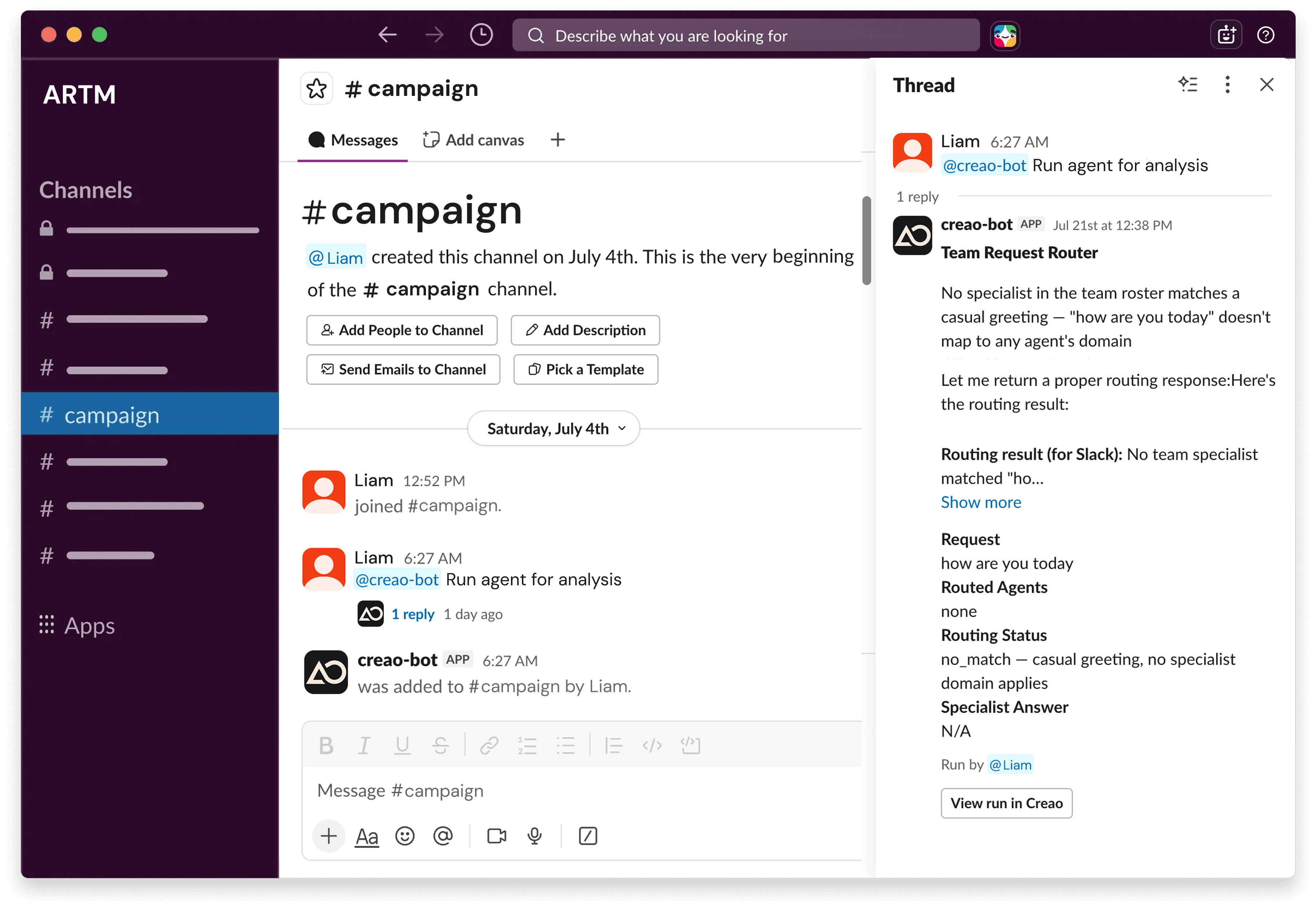
Ask CREAO in the channel
@CREAO picks the right agent from the ones you've built in CREAO — or answers directly if it's a quick question.
It gets to work
Your request runs through the installer's CREAO account — reliably, every time. Follow along anytime with View run in CREAO.
Results in the thread
Clean, readable output back in Slack; if something goes wrong, it says so plainly. Your agents keep working beyond the channel too — trigger them, schedule them, or run them on demand, just as you've set them up in CREAO.
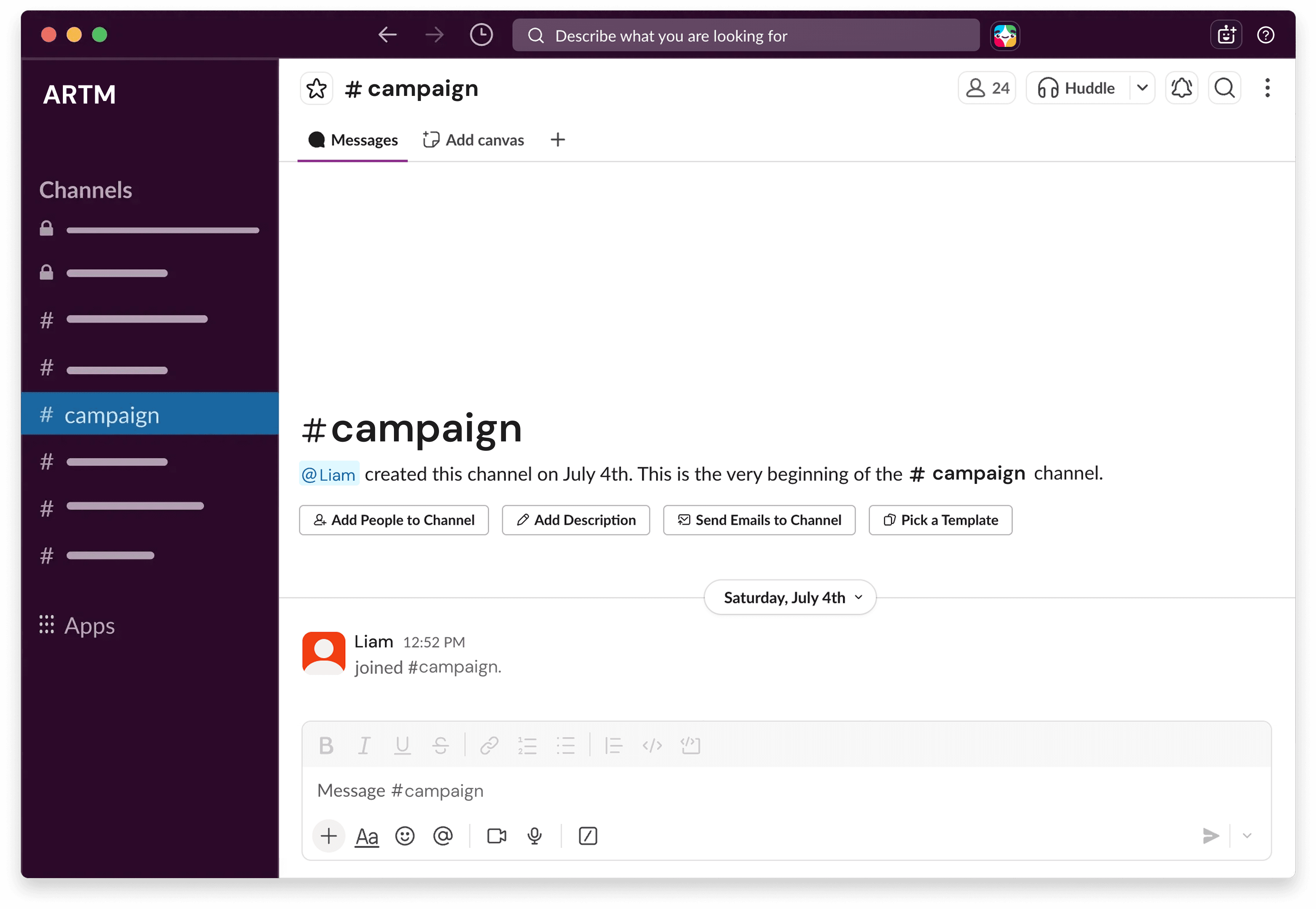
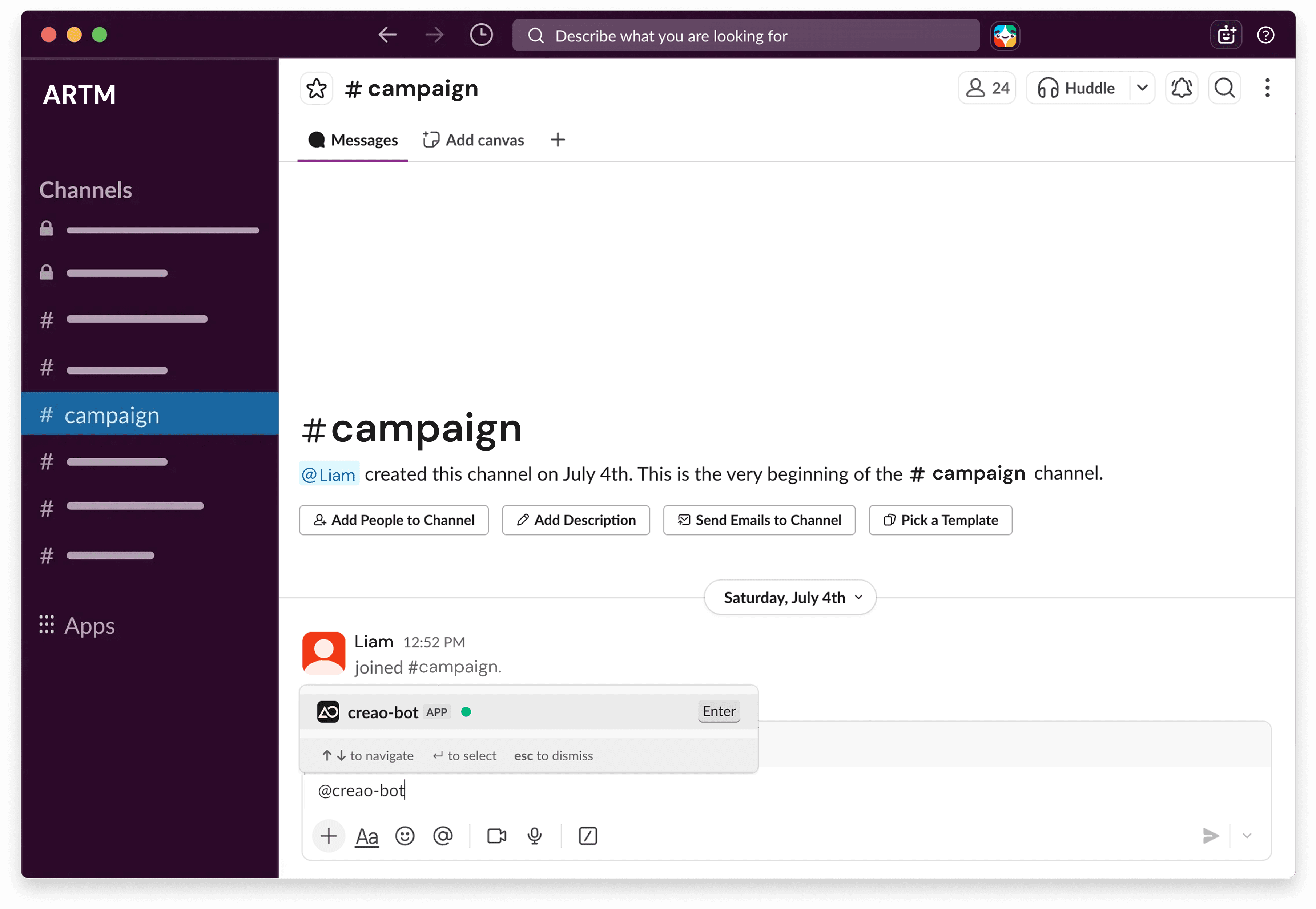
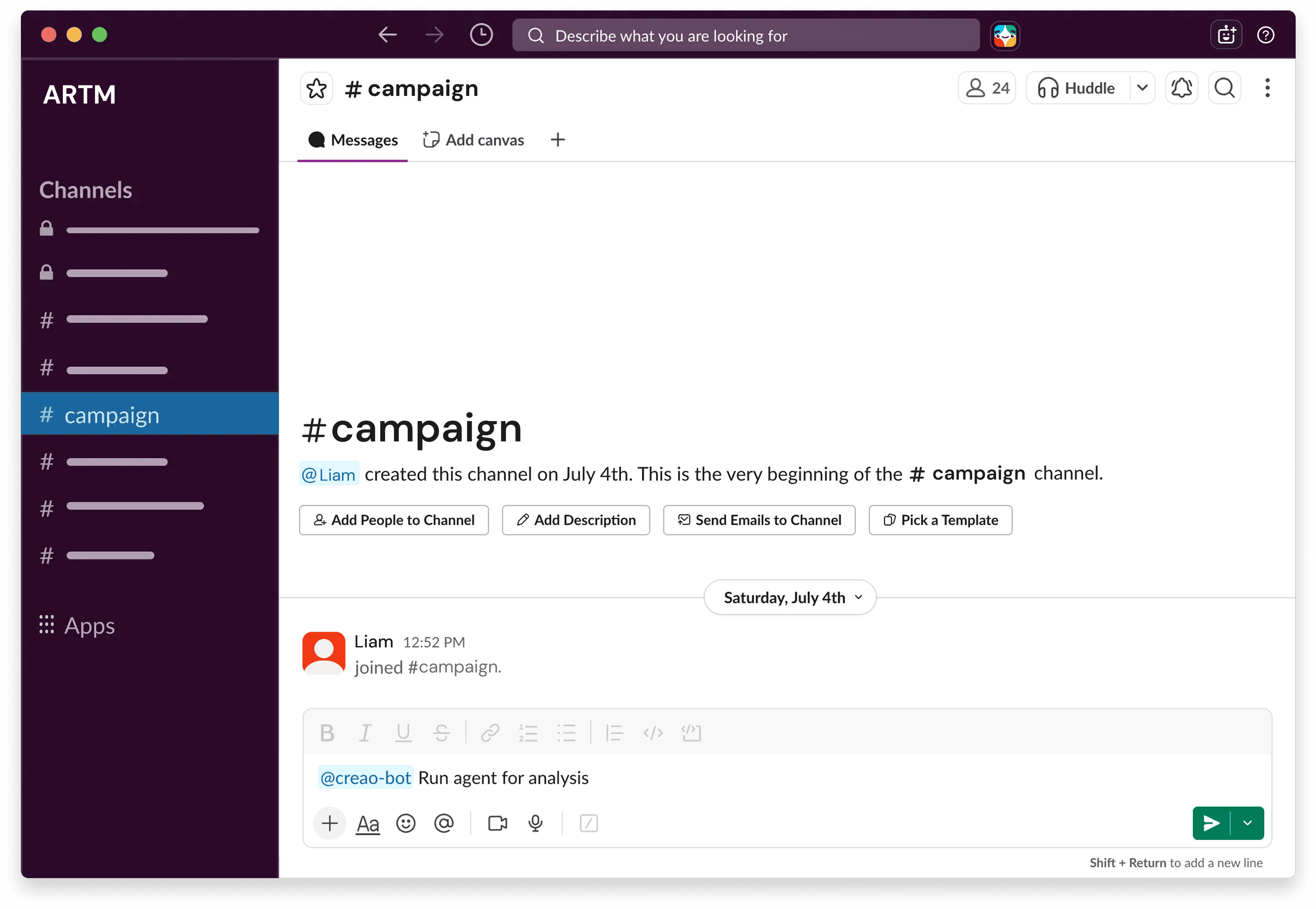
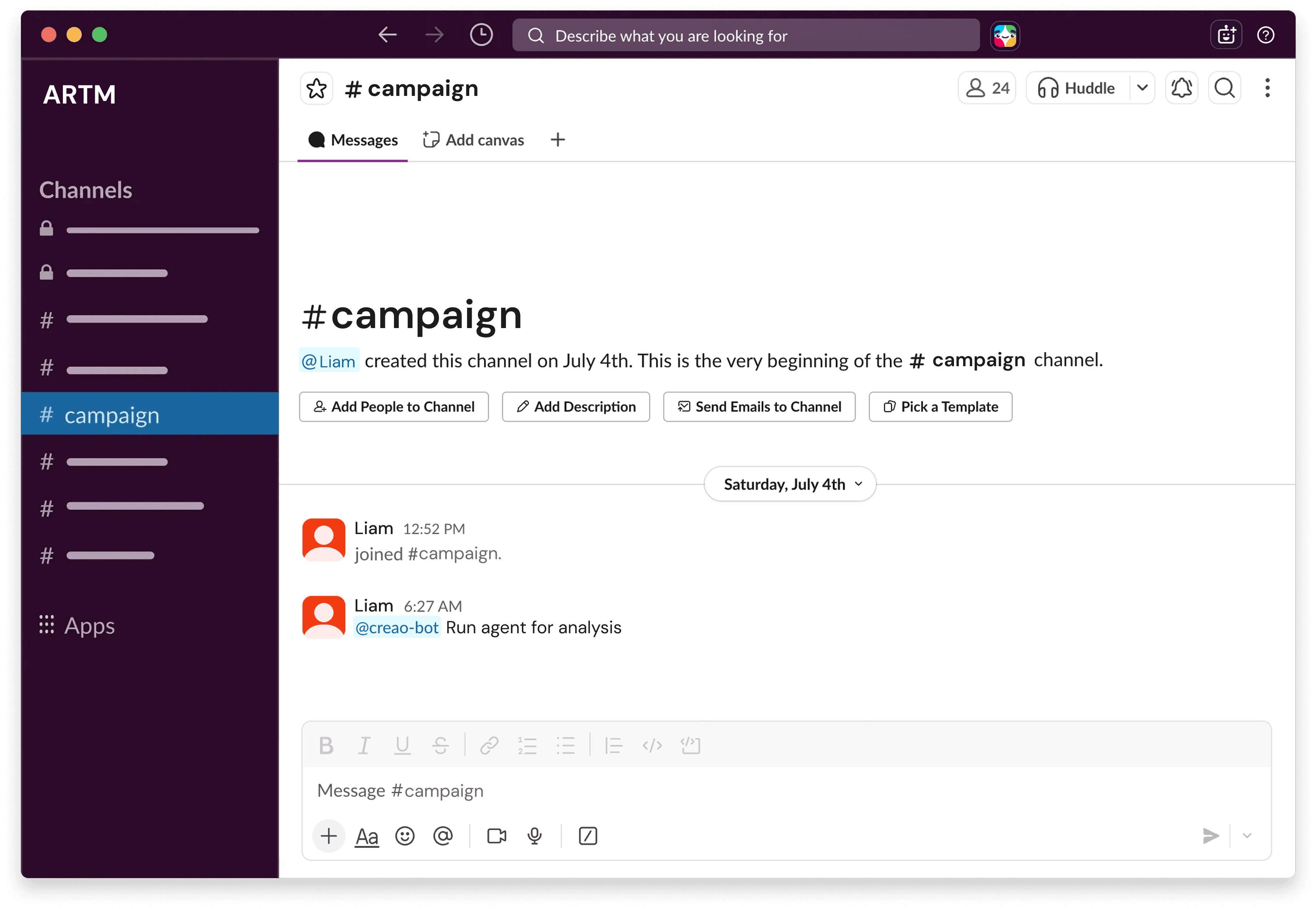
From sign-up to your first agent in Slack.
- Sign up for a Slack account and a CREAO account to get started.
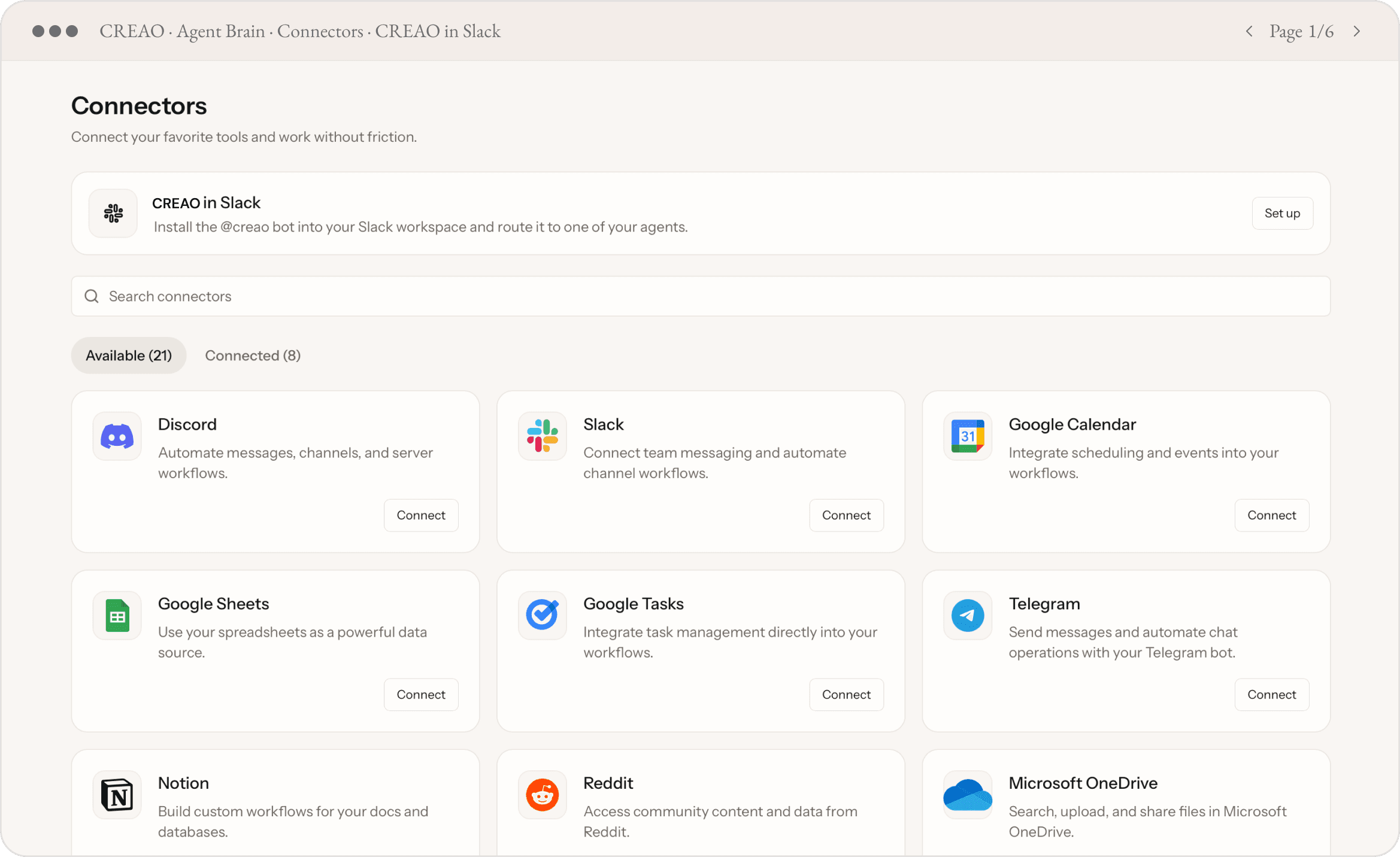
- Set up "CREAO in Slack" from Connectors in CREAO, and click Add to Slack to authorize your workspace.
- Configure your integration — default agent, approved channels, and daily run limits. Review the access notice, then save.
- To start using the integration, mention @CREAO in an approved channel — results come back in the thread.
Agents tailored to your work. Running 24/7.
Tell CREAO what you need. It builds an agent that does it, and keeps doing it, on the schedule and in the tools you already use.
Pick a workflow and build it in minutes.
Lead response and outreach sequences that send, or wait for approval, automatically.
Inbox rules that route, log, and trigger downstream tasks the moment an email arrives.
Daily digests that surface what matters without you having to dig for it.
Cross-tool chains: Gmail triggers a Sheets log, a Slack alert, and a calendar invite, all at once.
Set the cadence. Stay in control.
Schedule any agent daily, weekly, or on a trigger. It delivers without you there.
› run only after approval you stay in the loop
› OAuth only · credentials never stored in plain text
CREAO agents are powered by AI. AI can make mistakes, so always review outputs before acting on them.
Need help? Reach our team at support@creao.ai — we respond within two business days.
Read our Privacy Policy to see how CREAO handles your data.
It learns how you work.
Every run, your Slack agents get sharper about your context, your tone, and your priorities. Less has to be explained. The difference between using AI and running on AI that improves with every run.
Drafts the work. You edit and approve.
Matches your voice. Knows what matters most.
Handles the routine end to end. You review exceptions.
Work that runs itself, and keeps getting better.
The repetitive parts of your Slack life, automated.
Daily Standup Bot
Every morning your agent pulls key metrics and posts a structured standup summary to your team channel.
Lead Alert System
New CRM lead detected? Your agent instantly posts a formatted alert to #sales with full context.
Weekly Performance Digest
Every Friday your agent compiles key metrics across your stack and posts a clean summary.
Incident Notifications
Your agent monitors your systems and fires a Slack alert the moment something needs human attention.